|
|
LAN Messaging with a Full Graphical Interface
Net Send Lite is a small utility that uses the existing Microsoft Messaging Service to send network messages. With Net Send Lite you can send messages to a specific username, computer name, IP address, or the entire domain/workgroup on your network. Simply click the Add button to add users to your system or the Add Multiple option to select from a list of available computers on your network. Once you have a user in your list, double-click the user and enter your message to send.
With the latest version, Net Send Lite captures the standard Microsoft net send message window and displays its own chat-style interface. Now you can have a chat-type program that uses the existing Microsoft Messaging Service -- no client installation needed, and it prevents users from sending messages outside their network.
Net Send Lite supports sending to small groups of users on your network. Create a group of users within Net Send Lite and send a message to all of them with a click of the mouse. Users can be identified by logged-in username, computer name, or IP address. One of the key advantages is that Net Send Lite resolves the sender's login username instead of showing the computer name, so recipients see a friendly name in each message.
Who Is This For?
- IT administrators -- Notify departments or user groups about planned outages, maintenance windows, or security updates with a full graphical interface.
- Help desk teams -- Send quick messages to affected users during incidents or service disruptions across the LAN.
- Office environments -- Enable instant messaging across the local network without installing client software on recipient machines.
- Anyone on a Windows LAN -- Send messages to individual users, groups, or broadcast to an entire domain or workgroup.
Key Features
Chat Interface
Captures incoming net send messages and displays them in a chat-style window. Send and receive messages back and forth with full message history, save, print, and clear options.
Group Messaging
Create groups of users and send a message to all of them with one click. Organize recipients by username, computer name, or IP address with custom display names.
Canned Messages
Set up to 50 frequently used messages for quick selection. A dropdown appears in the chat window so you can send common responses with a single click.
Clickable URLs
URLs and UNC paths sent in messages are clickable directly from the chat window. Jump to a website or open a network share without copying and pasting.
Custom FROM Name
Override the default computer name with your username or any custom name. Recipients see a friendly name instead of a cryptic machine identifier.
No Client Install
Recipients need no additional software -- Net Send Lite uses the built-in Windows Messenger service. If the service is running, messages are delivered instantly.
Registered Version Benefits
- No message length limitation -- send messages of any size.
- No splash screen on startup and shutdown.
- Footer option to automatically append text to every outgoing message.
- Broadcast messages to the entire workgroup or domain.
- Truncate or split large messages that exceed the character buffer limit.
- Send messages FROM your username or any custom name instead of the computer name.
Related Products
Need to send messages to a list of users from the command line? Try Group Net Send -- a batch messaging utility for scripts and automation.
For even more control over your messages, check out Message Manager Deluxe.
Windows Compatibility
Net Send Lite requires the Windows Messenger service, which is only available on these operating systems:
Download Net Send Lite
Screenshots
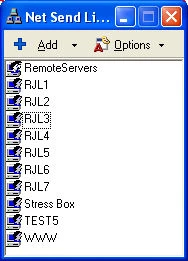
The main screen where you can select users by username, computer name, IP address, or domain/workgroup to send messages to.
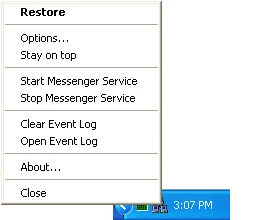
Right-click the system tray icon to access Stay On Top, Start/Stop Messenger Service, and Clear Event Log options.
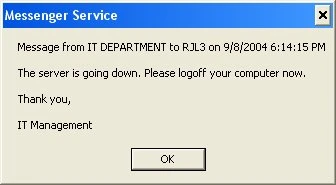
A standard net send message displayed via the default Microsoft Messaging Service dialog.
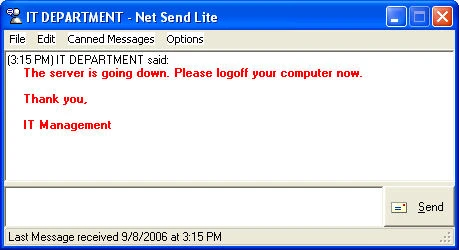
The same message displayed through Net Send Lite's enhanced message window with more information and options.
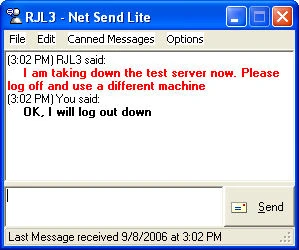
The chat window displays incoming and outgoing message history with options to Save, Print, and Clear.
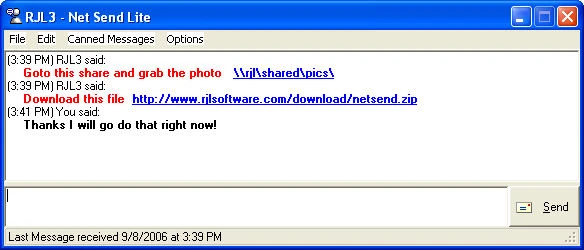
URLs and UNC drive paths sent in messages are clickable directly from the chat window.
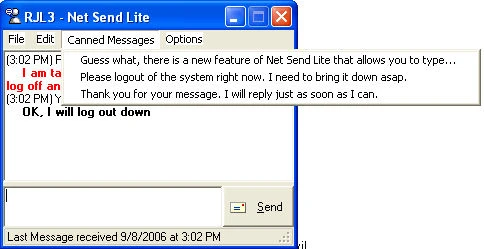
Select from a list of frequently used canned messages via the dropdown menu for quick one-click sending.
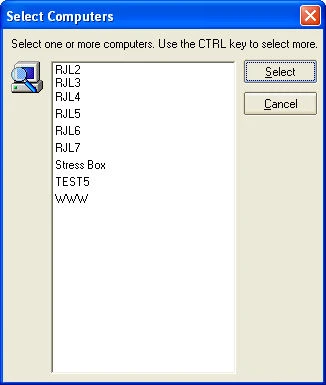
CTRL-click to select multiple computers from your primary domain and add them to the user list.
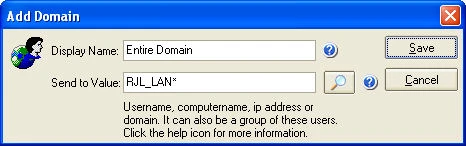
Create a shortcut for an entire domain to broadcast messages to everyone logged in.
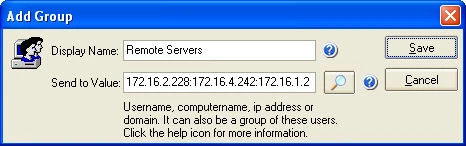
Create a group of users by IP address, separated by colons, for batch messaging to specific machines.
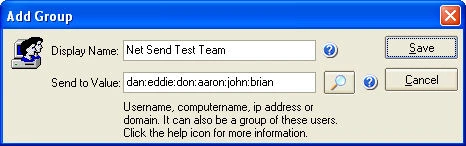
Create a group by Windows login usernames, separated by colons, for messaging entire teams.
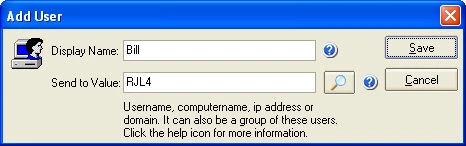
Set a friendly display name for individual users identified by username, computer name, or IP address.
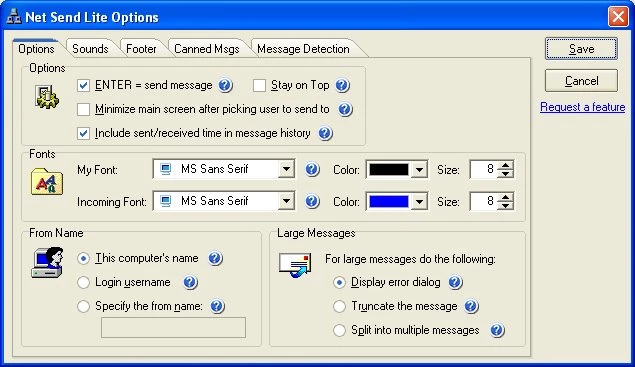
Configure the ENTER key to send messages, set font preferences, choose your FROM name, and handle large message splitting or truncation.
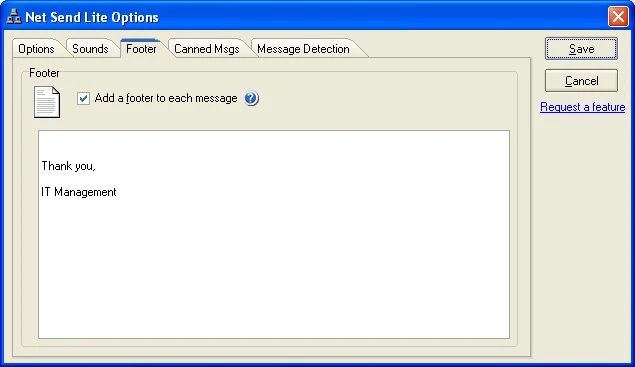
Set an automatic footer that is appended to every outgoing message.
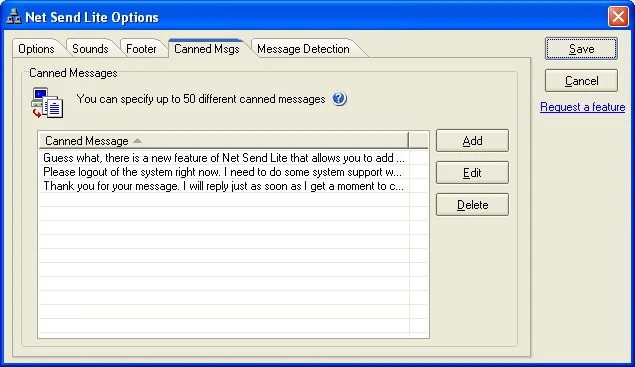
Configure up to 50 canned messages with increased message length for quick selection during conversations.
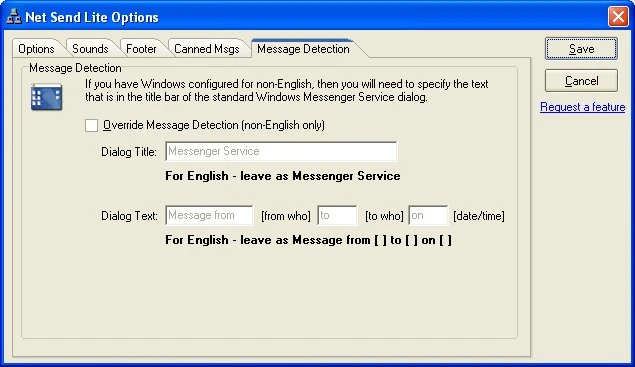
Configure message detection for non-English Windows installations by specifying the Messenger Service dialog properties.
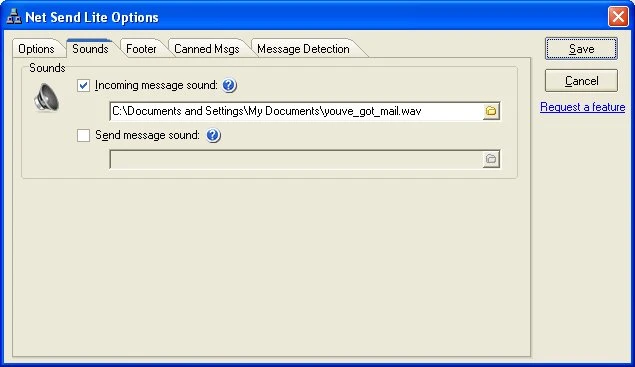
Configure custom sounds for incoming and outgoing messages.
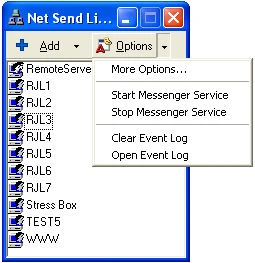
Additional configuration options and preferences for Net Send Lite.
Version History
v3.02
April 1, 2008
Added support for incoming and outgoing message sounds.
Corrected the issue with International installations -- for non-English Windows, you can specify the name and contents of the Messenger dialog box for proper message detection.
Corrected an issue with IP Addresses as the sent-to value.
Corrected an issue when the FROM name contained a period.
Corrected the error if the FROM name started with a number (such as an IP address).
Corrected an issue with Stay On Top getting out of sync.
v3.01
September 22, 2006
Fixed a defect when sending a message and trying to start the Messenger Service without Administrative rights.
Fixed a defect when no usernames were defined at application startup.
First launch now adds My Computer by default when no usernames are defined.
v3.00
September 8, 2006
Added the ability to capture net send messages and display inside a chat window.
Added chat-style user interface for sending and receiving messages.
Added Find Computers on the network when adding users.
Rewrote the main user interface to be more like other messaging software.
Added hyperlink functionality to the chat window for URLs and UNC shares.
Added the ability to add multiple users at one time.
Added option to change the font properties of incoming and outgoing messages.
Added up to 50 canned messages with increased length.
Added option to start and stop the Messenger service from the tray icon.
Added detection to check if the Messenger Service is running on startup.
Added option to clear the System Event Log from the tray icon menu.
Added option to minimize the main form when choosing a user to message.
Added option to display the time within the message history chat window.
Added option to save, clear, and print the message history.
Rewrote the stay on top logic.
v2.01
July 31, 2005
Added the ability to send messages to multiple users or a group of users separated by colons.
Added option to open the event viewer to view sent messages.
Added sorting on the name list by all column headings.
Added option to clear the status bar on right-click.
Updated Add/Edit Users with a user interface for entering user information.
Updated Add/Edit Users to support group, domain, computer name, username, and IP address.
Updated the default send-to option to a dropdown box.
Updated the X button behavior to minimize to the system tray instead of closing.
Updated error handling for sending messages.
Corrected issue with saving the last user on close.
Rewrote message validation for registered and free versions.
v2.00
September 8, 2004
Added the option to go to a website URL in a Net Send message.
Added the option to copy the Net Send message text.
Added the option for Canned Messages.
Added the option to Stay on Top.
Changed the Options screen to a tabbed dialog.
Changed the Options and Send buttons to dropdown menus.
Removed the option for Send Last (now always available).
v1.04
July 11, 2004
Added the option to change the TO user after each send.
Added the option to order names alphabetically.
Corrected the multiple instances issue.
Changed cursor to the Windows-like hand pointer.
Added request a feature links throughout the application.
v1.03
February 29, 2004
Added the option to use the computer name for sending the message.
Added the option to use the logged-in username for sending the message.
Added the option to specify any custom name for sending the message.
Added the option to truncate messages that exceed the maximum character limit.
Added the option to split messages into multiple sends for large messages.
Updated status bar to show message status immediately after sending.
Changed cursor to waiting during message send.
Prevented the main form from being moved off-screen.
Updated error handling and error messages.
v1.02
January 31, 2004
Added option to include a footer on every message.
Redesigned user interface.
Added option to add/edit usernames.
Added hotkeys to send the message.
Added hints and help to options and main screen.
Added registration option to remove the splash screen.
Updated the program to be resizable.
Saved program position and size on screen.
Option to show or hide the send last button.
Corrected issues with error handling and message clearing.
v1.01
June 8, 2003
Added the option to resolve the sender's username on send.
Updated the error handling for sending messages.
Added instructional messages for first-time users.
Updated the help text in the about box screen.
Upgrade Net Send Lite
All licenses include no maintenance agreements, no annual fees, no upgrade fees, and no support fees.
Single User License
$19.99
Register Net Send Lite for use on one computer. Removes the splash screen, unlocks full message length, enables broadcast messaging, footer options, message splitting/truncation, and custom FROM name.
Upgrade - $19.99
Site License
$299.99
Unlimited usage on all computers at a single physical location. Covers all current and future machines at one site with all registered features enabled.
Upgrade - $299.99
- Secure Checkout -- RJL Software uses 128-bit encrypted data transfer for all credit card transactions. Ordering online is the fastest way to get your license.
- Instant Email Delivery -- Once your order is processed, you will instantly receive an email with a temporary URL to download your registered version.
- Easy Upgrade -- If you have the free version installed, simply replace it with the registered version. No uninstall required.
What Users Are Saying
★★★★★
"The best LAN messaging tool available. We use it to notify users before server maintenance."
-- Kevin L., Network Admin
★★★★★
"Group messaging saves so much time. One click to notify the entire department."
-- Beth S., IT Support
Download Net Send Lite
Windows XP, 2000, NT
482 KB
SHA256: 000afcff9d2c...5d07
Freemium
Updated: April 1, 2008
You Might Also Like

Display custom message dialogs at Windows login or startup. Configure text, images, buttons, and timing for network notifications.
Learn More

Build standalone .EXE message files for IT notifications. Customize text, buttons, and icons for enterprise communication.
Learn More
Support Net Send Lite Development
If Net Send Lite has simplified your network messaging, please consider purchasing a license. Your support helps fund future updates.
Support and Information
Frequently Asked Questions
Find answers to common questions about Net Send Lite.
View FAQ
Need Help?
Found a bug or have a question? We are here to help.
Contact Us
Uninstall
To uninstall, simply delete the program folder. No registry entries or system files are left behind.
How to Update
Download the latest version and extract over your existing folder, or to a new location. Settings are preserved.
Privacy: This software does not collect, transmit, or store any personal data. No internet connection required.
End-User License Agreement (EULA)
|
|
|



















 Installer v3.02
 Give Now